


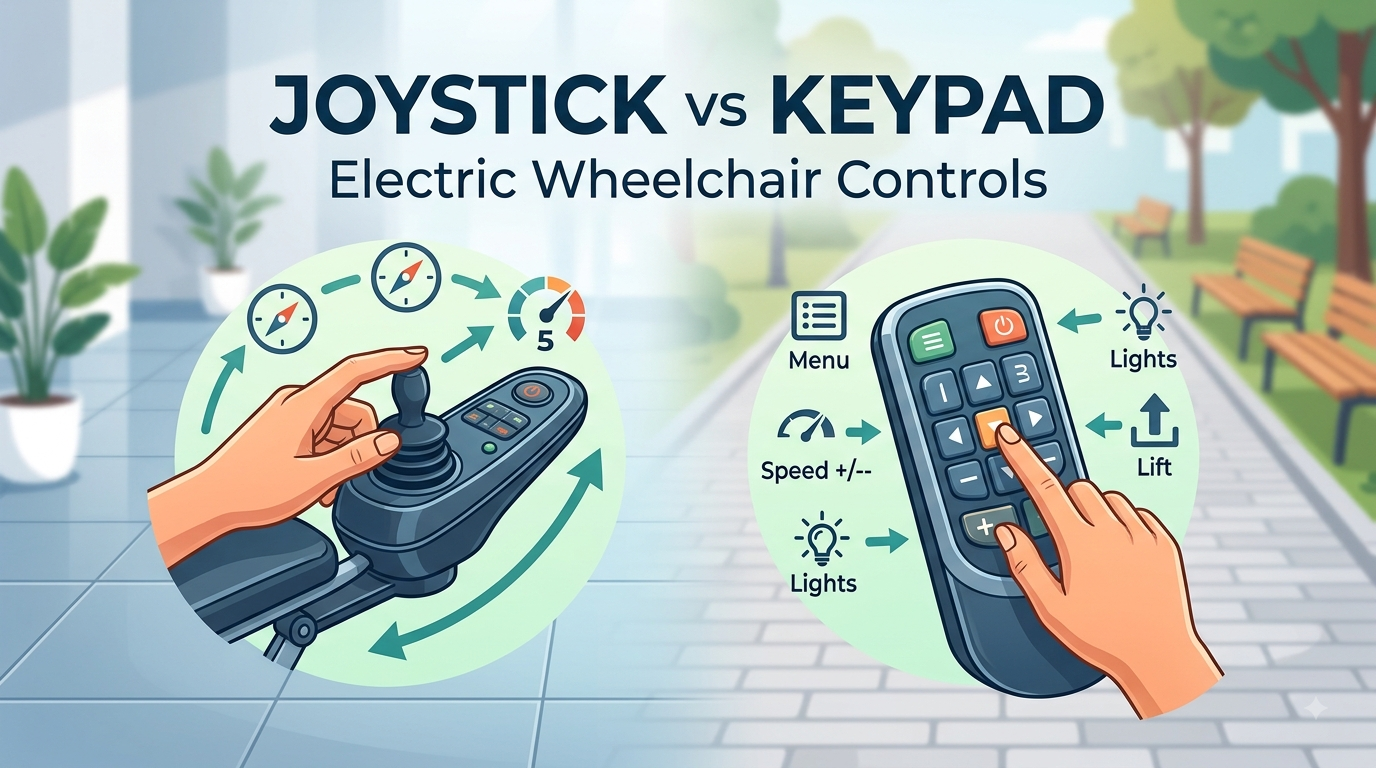
Selecting the appropriate control system will go a long way in determining how well the electric wheelchair will perform in its use. Although it is possible to use either the joystick or keypad to control an electric wheelchair, both control systems offer two entirely different experiences of using the wheelchair.
Some of the notable differences between the two control systems include directional control, speed control, maneuverability, accessibility, and operating additional functions.
Joystick vs. Keypad: How Do They Control an Electric Wheelchair?
The fundamental difference between the two systems is how the user provides input.
Joystick Control
The joystick provides continuous control. The joystick is manipulated by the user by rotating the joystick in a specific direction based on the direction that the wheelchair should take.
The direction and extent of rotation of the joystick will depend on the type of control employed; this provides the opportunity of making gradual changes while controlling the wheelchair. For example, a slight turn of the joystick towards the front would mean making a minor change while an exaggerated one would result in acceleration.
Keypad Control
A keypad uses individual buttons to send commands to the wheelchair. Depending on the system, buttons may be assigned to functions such as:
- Forward
- Reverse
- Left
- Right
- Stop
- Speed increase
- Speed decrease
- Horn
- Lights
- Driving modes
- Seating functions
The user does not have to continually move the joystick but chooses commands by pressing buttons. There is some variation in design and operation depending on the wheelchair brand and control system used.
What Can You Do With a Joystick?
A joystick control of an electric wheelchair gives constant control over both directions and movements. It can be helpful in case of frequent and precise directional adjustment.
Narrow Places
When going through a narrow doorway or passing between the furniture, the user might want to steer the chair a little bit but go forward at the same time. With a joystick, the user can make such moves:
forward → a little bit left → forward → a little bit right
It can be easier for a user to steer in this way than to switch the directions constantly.
Avoiding the Obstacle
Let us imagine that there is something that can prevent the wheelchair from moving further. A user with a joystick can easily steer around it:
forward → slightly to the right → avoiding the obstacle → slightly to the left → forward
Directional adjustment becomes very convenient in this case.
Positioning With Precision
In the event that one would like to come closer to a dining table, desk or bed, one would have to position the wheelchair to the desired position. It is the role of the joystick to help maneuver the wheelchair gradually and then do some fine-tuning. Precise positioning of the wheelchair is very essential, especially during such routine tasks like positioning near the table/desk.
What Can You Do With a Keypad?
A keypad uses individual buttons to control the wheelchair. Depending on the system, these buttons can operate driving, speed, lighting, seating, and other functions.
Basic Directional Control
A keypad can provide dedicated buttons for:
- Forward
- Reverse
- Left
- Right
- Stop
For basic driving, users can select the direction they need directly through the corresponding buttons.
The exact driving behavior depends on whether the system responds to a button press, a button hold, or another programmed control method.
Direct Access to Multiple Functions
One of the key advantages of a keypad is that individual buttons can be assigned to specific functions.
For example, a keypad may provide direct access to:
- Speed increase/decrease
- Horn
- Headlights
- Driving modes
- Seat elevation
- Tilt
- Recline
- Legrest adjustment
This is particularly convenient for those times when the user often has to shift from driving to using other features of the wheelchair. For instance, after placing the wheelchair beside a table, the user can just push one particular button to change the position of the seat.
Joystick Benefits
1. Accurate Direction Control
Another key advantage that comes with using a joystick is that it is able to facilitate continuous directional movement. This means that one does not have to choose from the predefined directional commands but is able to make slight movements. It may be useful in situations where one has to navigate around furniture, doors, tables or any other obstacles.
2. Ease in Maneuvering
Joystick control allows for an easy transition from one direction to another. For instance, one is able to move forward by tilting the joystick slowly to the left or right side.
3. Convenient Speed Control
Many electric wheelchair joystick systems allow the user to influence speed through the amount or position of joystick movement, although the exact behavior depends on the controller.
Additional speed settings may also be available for different driving environments.
4. Intuitive Operation
For many users, the relationship between joystick movement and wheelchair movement is easy to understand:
- Push forward → move forward
- Pull backward → reverse
- Move left → turn left
- Move right → turn right
This direct relationship can make joystick systems relatively easy to learn.
5. Suitable for Constrained Areas
While working in such constrained areas as a house, an elevator, a corridor, or any other restricted area, the minor directional changes might become relevant. The continuous nature of the joystick movements may help to perform such changes effectively.
Keypad Benefits
1. Direct Access to Functions
A keypad can give individual functions their own buttons. For example, a user may have dedicated controls for:
- Speed
- Horn
- Lights
- Driving mode
- Seating adjustment
- Other programmable functions
This can make frequently used features easy to access.
2. Various Functions from One Controller Interface
The use of a keypad is not exclusively for controlling movement. With different wheelchairs and controllers, one interface can be used for multiple purposes, which include controlling the movement and adjusting the seat. The keypad can thus go beyond being a controller of movement to become an interface controller for the wheelchair.
3. Clear Command Structure
Each button can have a specific purpose. For users who prefer clearly defined commands rather than continuous joystick movement, this can make the control system easier to understand and operate.
4. Opportunities for Customization
The control systems of advanced wheelchairs could enable users to program various functionalities into different buttons. This would be helpful if users have some preferred ways of controlling the wheelchair or prefer using some functionalities more often than others. Nevertheless, opportunities for customization would depend on the particular controllers and wheelchairs.
Which is More User-Friendly – Joystick or Keypad?
The fundamental issue to consider is not merely how many functions a particular input device may have. The key issue is which input system is easier for the user to use comfortably, reliably, and accurately.
Each person uses a particular input system in his own way. The strength of hands, dexterity of fingers, flexibility of wrists, co-ordination, and even ability to sustain or reproduce inputs differ from individual to individual.
Joystick: Better for Continuous Hand Control
In terms of comfort for the users, the joystick is an option because some users find it easier to operate a smaller lever or handle using their hand or wrist. The users do not need to press different buttons constantly because they will guide the wheelchair using the joystick.
This can be a good fit for users who:
- Can comfortably hold and move a joystick
- Prefer continuous rather than repeated button inputs
- Can make small hand or wrist movements accurately
- Frequently need to make directional corrections
- Find individual button presses tiring or difficult
For these users, a joystick can make driving feel more natural because a single continuous hand movement controls both direction and speed.
Keypad: Better for Direct Button-Based Input
A keypad may be more comfortable for users who prefer more control over individual button presses than over continuous joystick movements.
Instead of maintaining a particular joystick position, the user interacts with clearly defined buttons.
This can be a good fit for users who:
- Can accurately locate and press individual buttons
- Prefer clearly defined commands
- Find button presses easier than controlling a joystick
- Prefer having dedicated buttons for frequently used functions
- Benefit from a customized button layout
For these users, a keypad can provide a more predictable and structured way to interact with the wheelchair.
Finger Dexterity is Important
Hand strength alone will not be the determinant of which input device is superior.
If a keypad is being used, the individual will have to be able to distinguish and depress the correct button, particularly when there are multiple buttons that are located near each other.
On a joystick, the individual would require controlled movements of the joystick and small movements to direct it in the appropriate directions.
Therefore, someone with poor finger dexterity will likely find the joystick easier to use, while the opposite will be true for someone with poor control of the joystick.
Which Electric Wheelchair Control System Is Right for You?
When comparing a joystick and keypad, consider the following questions:
- What is your preference for controlling movement?
- For those who prefer movement in a continuous manner and directionally controlled movement, the joystick will work best for you.
- Those who prefer individual buttons and specific commands can use the keypad.
- Where will you use the wheelchair?
Consider whether you will primarily use the wheelchair:
- At home
- In narrow indoor spaces
- In shopping centers
- Outdoors
- In crowded environments
- Across different types of terrain
Your typical environment can influence which type of control feels more comfortable.
- To what extent do you require accuracy?
If you find yourself often making slight course changes, then continuous control through a joystick would work well for you.
- What functions will you need to control?
If you will often use seat adjustment, lighting, speed, or other controls, then you might find a keypad with dedicated or programmable buttons more user-friendly.
- Can the control system be customized?
For users with specific operating preferences or physical requirements, customization can be just as important as the basic control type. The availability of customized controls varies by wheelchair and controller.
Conclusion
Both a joystick and a keypad represent separate control methods used in an electric wheelchair . While a joystick emphasizes continuous, smooth motion and accurate maneuvers, it becomes a good choice for people who desire such directional control and adjustment. Meanwhile, a keypad allows for the use of button commands and provides access to several other functions, which can be important for people who require dedicated controls or additional functions in their electric wheelchair.
In conclusion, one needs to emphasize the fact that there is no single universal control system that would suit all people.


